CB Sounddesign
Editor · Librarian
Operator's manual · v1.0
Operator's manual · v1.0
CB Editor for Behringer BM-18M
A parameter editor and librarian for the Behringer BM-18M Cluster Box. The pedal is write-only over MIDI — it accepts parameter changes and will not report its state back — so this editor is also the only record of what is in it.
Connect
Channel, send everything
Edit
14-bit continuous, switched, tap
Keep
Store to the library, save banks
Write-only, and what that means
The pedal cannot be read. The editor cannot show you what the hardware currently holds, only what it has sent. So the discipline is inverted from a normal editor: Send everything after connecting, so page and pedal are known to agree, and treat the library on this page as the authoritative copy of your sounds.
The pedal cannot be read. The editor cannot show you what the hardware currently holds, only what it has sent. So the discipline is inverted from a normal editor: Send everything after connecting, so page and pedal are known to agree, and treat the library on this page as the authoritative copy of your sounds.
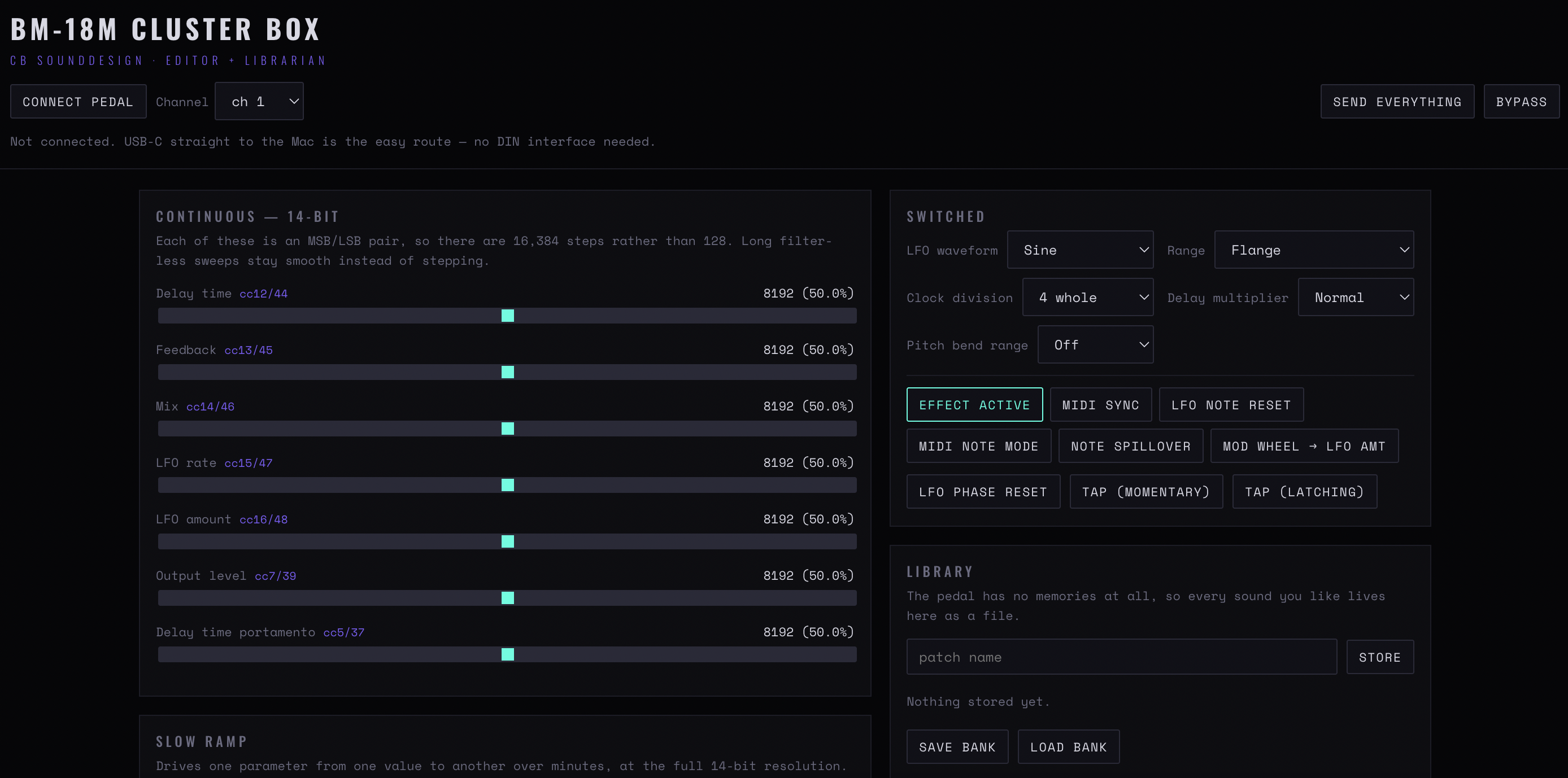
Figure 1 — The editor: the 14-bit continuous parameters with their CC pairs on the left, the switched controls and toggle buttons top right, and the library beneath — the pedal has no memories, so every sound lives here as a file
Chapter one
Connecting
Connect pedal
Requests MIDI access. Chrome, Edge or Brave; over HTTPS or localhost.
Channel
Must match the pedal. There is no confirmation from the device, so a wrong channel looks exactly like a broken cable.
Send everything
Transmits every parameter at its current editor value. Do this immediately after connecting, and after any doubt about what the pedal holds. It is the only way to make page and hardware agree.
Bypass
Sends the bypass state. Like everything else, one-way.
Chapter two
Parameters
Three kinds of control, each sent differently.
Continuous — 14-bit
Two CCs per parameter, coarse and fine, shown as cc pairs next to the control. 14-bit resolution means a sweep is smooth rather than stepped, which matters on the time and pitch parameters.
Switched
Discrete values. Sent as a single CC with defined positions.
Tap (momentary) / Tap (latching)
Two behaviours for the tap controls: momentary sends on press and release, latching toggles. Match whichever the pedal expects for the function you have assigned.
LFO phase reset
Restarts the modulation from a known point. The control to use when the modulation is fighting the tempo instead of sitting with it.
Parameters with no CC
Some front-panel controls are not addressable over MIDI — DRIVE has no CC is stated where it applies. Those remain hardware-only, and no editor can change that.
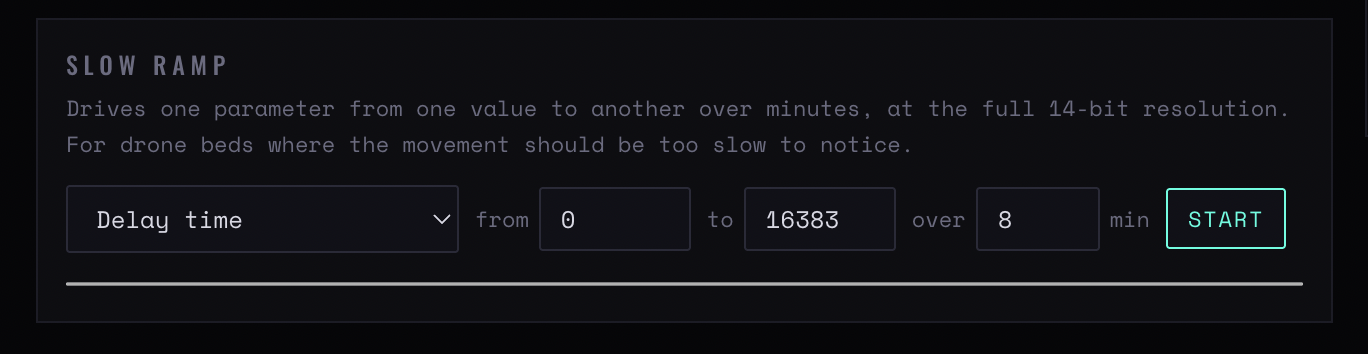
Figure 2 — Slow ramp: one parameter driven from one value to another over minutes, at the full 14-bit resolution
Chapter three
Slow ramp
The editor's own automation, not the pedal's. It sends a stream of values so a parameter travels over time.
From / to / over
Start value, end value, duration. The ramp is generated here and sent as MIDI, so it works on any 14-bit parameter.
Min / Start
The floor and the launch value. Start is where the ramp begins when triggered, which need not be the from value if you are re-triggering mid-travel.
What it is for
Long, slow moves that a hand cannot do steadily — a filter opening over thirty seconds, a delay time drifting across a passage. Set it running and leave it.
Chapter four
The library
Because the pedal cannot be read, this is your only patch memory.
Store
Saves the editor's current state as a named entry. Nothing stored yet is the empty state.
Library
The stored entries. Selecting one loads it into the editor; it is not sent to the pedal until you send it.
Save bank / Load bank
The whole library as a file. This is the backup, and it is important: the library lives in this browser, and clearing site data removes it. The pedal holds no copy.
The one rule for a write-only device
Save the bank to a file after every session where you made a sound worth keeping. There is no other copy anywhere — not in the pedal, not in a cloud, not recoverable.
Save the bank to a file after every session where you made a sound worth keeping. There is no other copy anywhere — not in the pedal, not in a cloud, not recoverable.
CB Sounddesign · BM-18M EditorOperator's manual · v1.0