CB Sounddesign
Delay, tempo, tuning, disk space
Operator's manual · v1.0
Operator's manual · v1.0
CB Audio Calculator
Five calculators for the arithmetic that comes up constantly in sound design and constantly gets done wrong in a head: note frequencies under historical temperaments, delay times against a tempo, what a pitch shift does to a length, how much disk a session needs, and a tap tempo. Nothing here is clever. All of it is faster than a phone.
Pitch
Temperament, reference, deviation
Time
Delays, lengths, stretch
Storage
File size, data rate, capacity
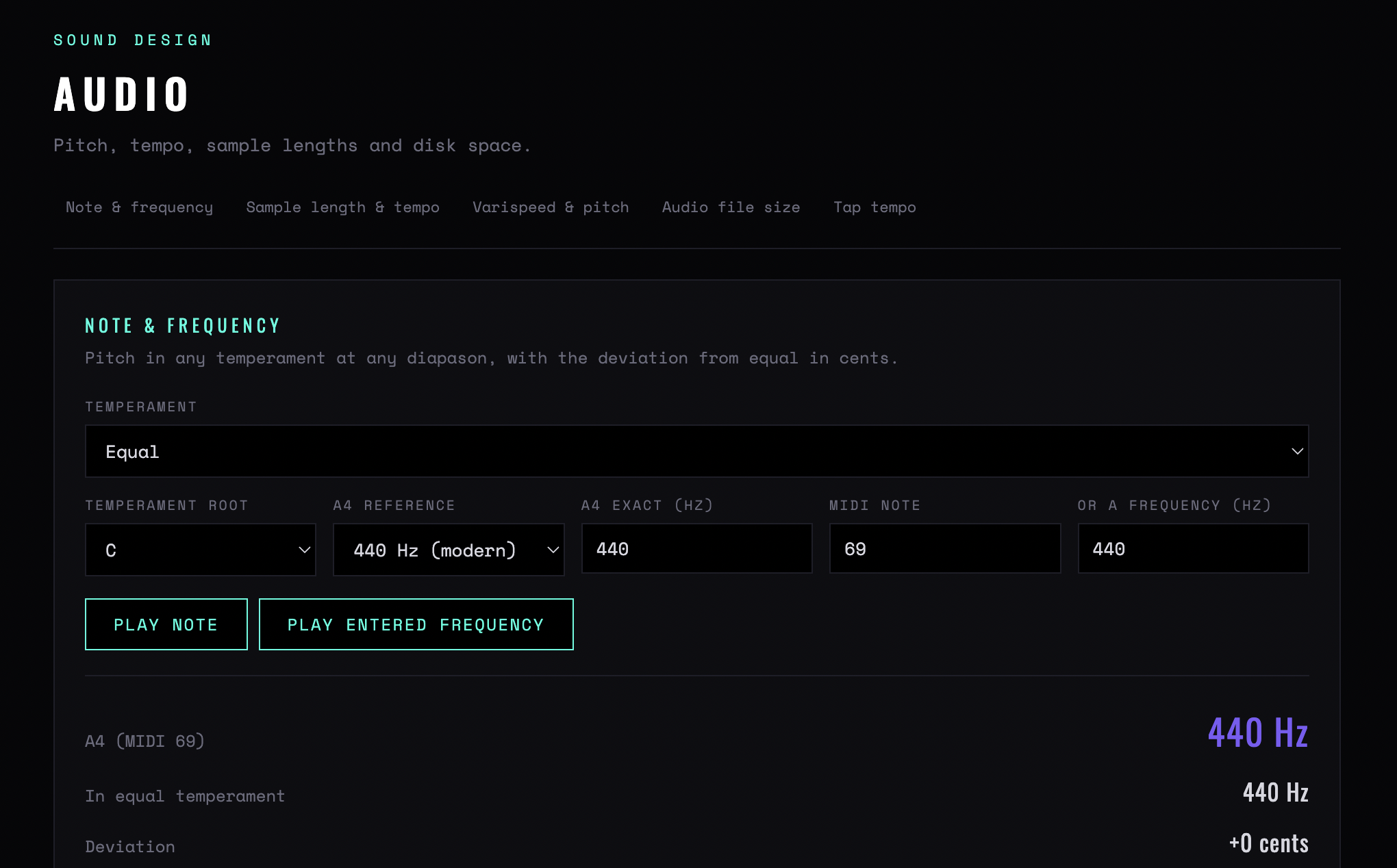
Figure 1 — The five tabs, and the Note & frequency card: temperament, root, A4 reference, and the result with its equal-temperament comparison and deviation in cents
Chapter one
Pitch and temperament
A note in, a frequency out — under the tuning system you choose, not just equal temperament.
Temperament
Equal, Pythagorean, three meantone variants, 5-limit just intonation, Werckmeister III, Kirnberger III, Vallotti, Young (1799), or Custom. These matter when you are sampling or editing an instrument that was tuned historically, and when a synth patch has to sit with one.
Temperament root
Which note the temperament is built from. Every unequal temperament sounds different in different keys — that is the point of them — and this is the control that decides which.
A4 reference / A4 exact
The reference pitch, as a preset or an exact frequency. 440 is the default; 432 and 415 come up often enough in restoration work to be worth the field.
MIDI note / frequency
Enter either. Given a note you get its frequency under the current temperament; given a frequency you get the nearest note and the deviation.
In equal temperament
The equal-temperament frequency alongside, so the difference is visible rather than implied.
Deviation
How far the temperament's answer is from equal, in cents. Above about five cents the difference is audible against a drone; above twenty it is a different note as far as a listener is concerned.
Period / Play note
The wavelength of the result, and an audition button. The period is the number you need when setting a delay to a pitch rather than to a tempo.
Chapter two
Sample length and tempo
Delay and note lengths
Tempo in, times out. The standard table, but computed rather than remembered.
Tempo / Beats per bar
The grid. Beats per bar only affects the bar-length figures, so leave it at four unless you are working in something else.
Whole / Half / Quarter
The note values in milliseconds, with the dotted and triplet variants. Read down the column you need — the straight value for a slap, the dotted for the one that sounds like a groove.
Sample rate
Included because the same table in samples is what you need inside an editor. A delay set in samples does not drift when the session rate changes; one set in milliseconds does.
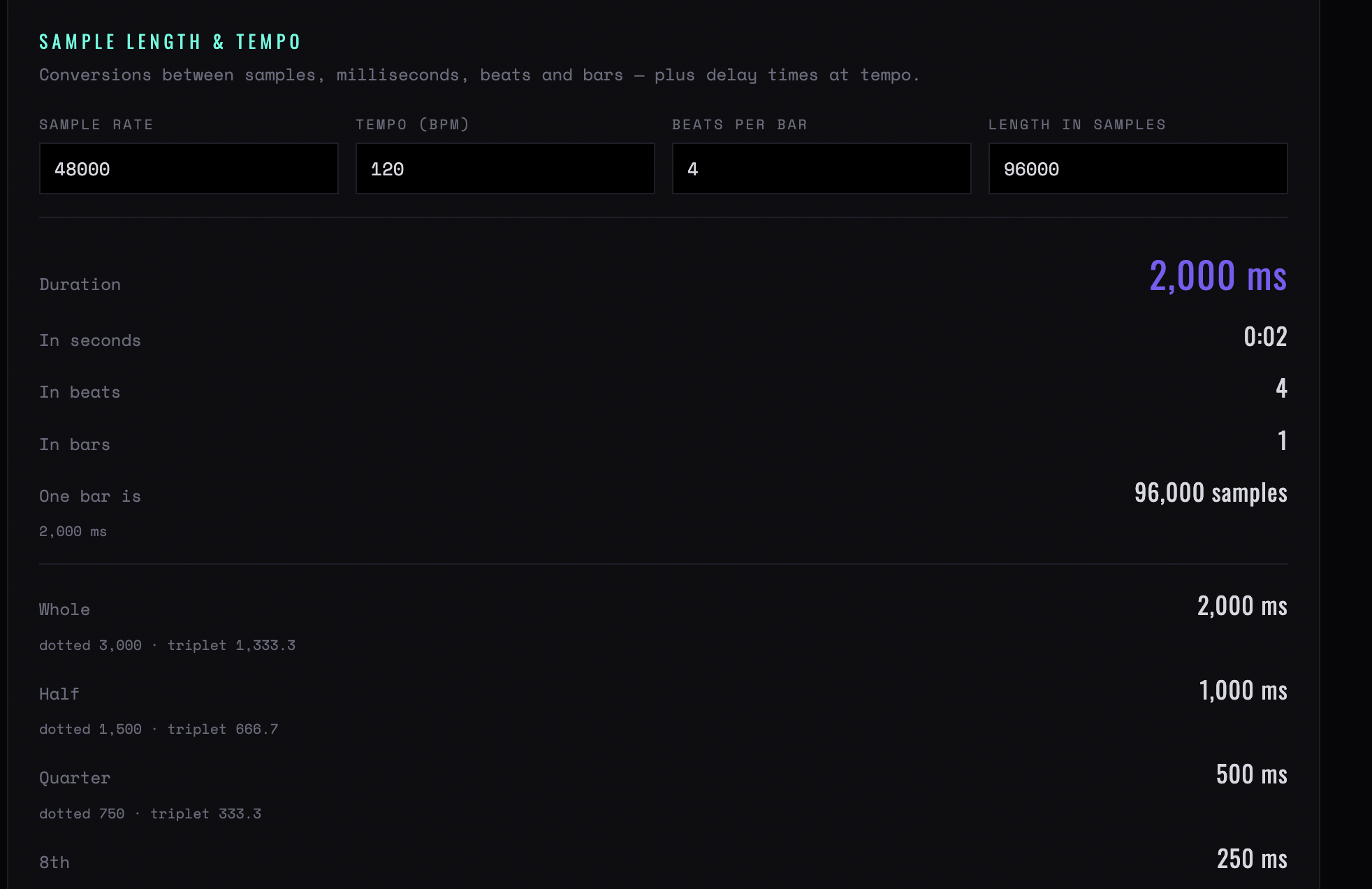
Figure 2 — Sample length & tempo: 96,000 samples at 48 kHz read as 2,000 ms, four beats, one bar — with the delay table underneath, dotted and triplet values included
Length, samples and bars
The conversions between the three ways a length can be expressed.
Length in samples
A sample count in, a duration out. The check to run when a loop will not sit tight: a loop that is 88,200 samples at 44.1 kHz is exactly two seconds, and one that is 88,201 is not.
In seconds / beats / bars
The same length in all three, against the current tempo. The bars figure is the one that tells you whether a found loop is actually four bars or four bars and a bit.
One bar is
The bar length in seconds and samples, for when you are cutting by hand.
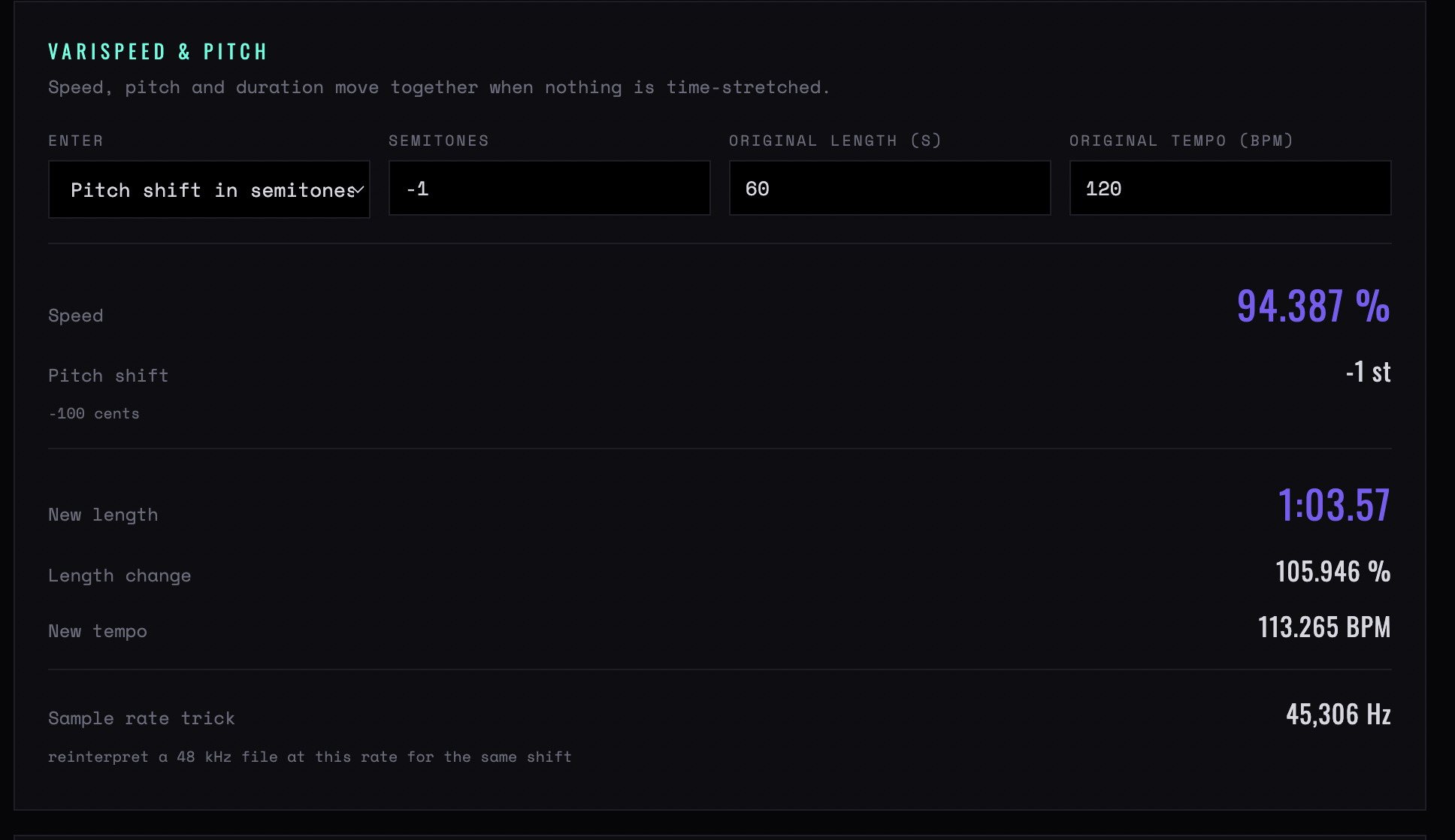
Figure 3 — Varispeed & pitch: a one-semitone drop reads as 94.387% speed, a 105.946% length change, and a sample-rate trick figure of 45,306 Hz
Chapter three
Pitch shift and stretch
What happens to a length when you change its pitch, and the other way round.
Semitones / Speed (%)
Enter either. Twelve semitones up is 200% speed; the tool does the conversion so you do not have to do it with powers of two in your head.
Original length / tempo
The material you are shifting. Both are optional — fill in what you know.
New length / New tempo
What you end up with. The pair of numbers to check before committing a shift, because a two-semitone shift on a four-bar loop rarely leaves four bars.
Length change
The difference as a percentage, which is the figure to give a picture editor rather than the new length.
Sample rate trick
The rate you would have to play the file back at to achieve the same shift without processing. Still the cleanest pitch shift there is, and how it was done before there were algorithms.
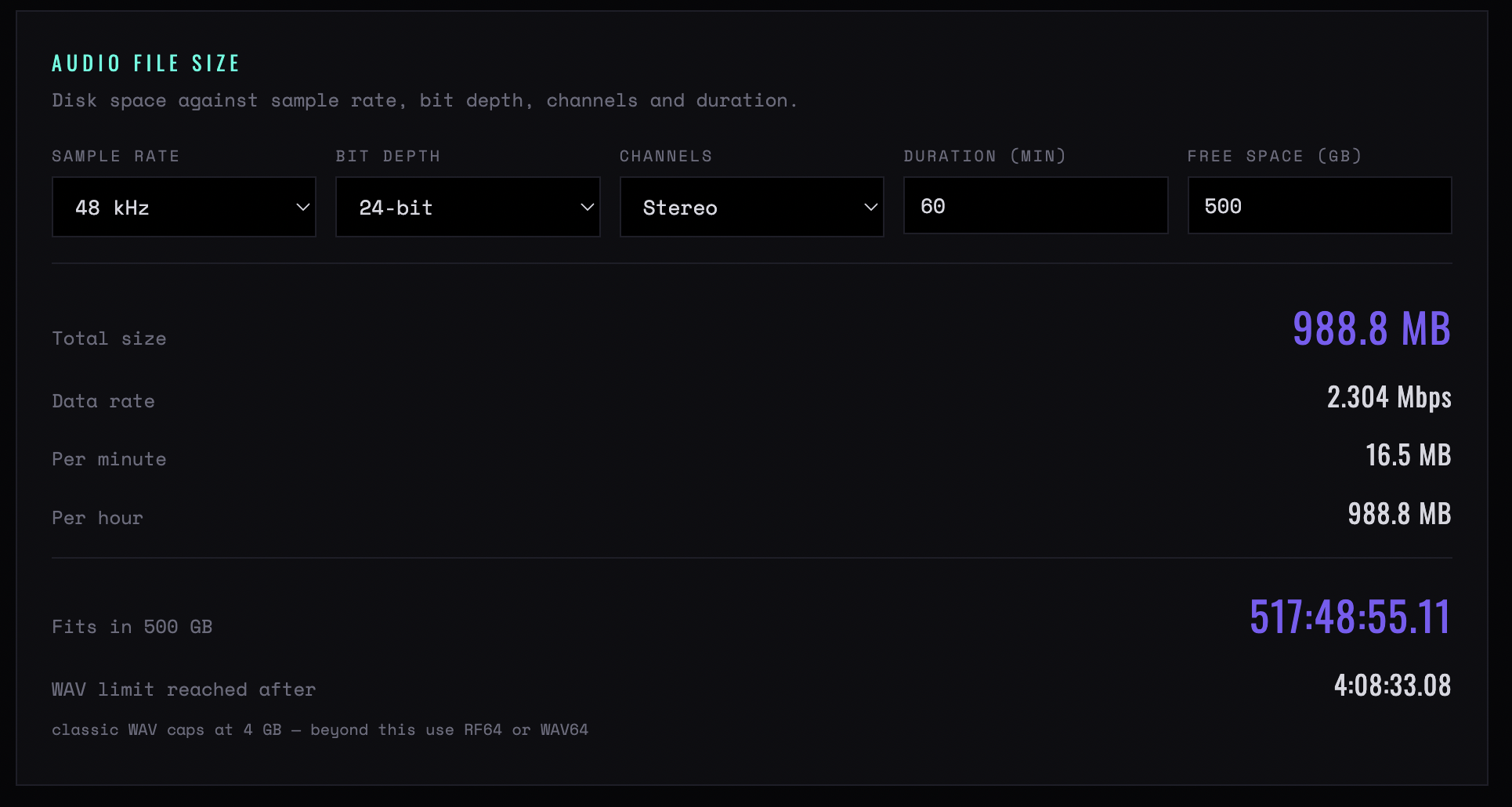
Figure 4 — Audio file size: an hour of 48 kHz 24-bit stereo is 988.8 MB at 2.304 Mbps, fits 517 hours in 500 GB, and hits the 4 GB WAV ceiling after 4:08:33
Chapter four
File size and disk space
How big the session is, before you start it.
Rate / Bit depth / Channels
The format. Channels goes up to third-order Ambisonic, which is sixteen — the case where the arithmetic is least intuitive and most likely to be got wrong.
Duration / Free space
How long you are recording and what the drive has.
Total size / Data rate
The whole session and the sustained rate. The data rate is the one to check against a drive over USB or a network mount, where the total will fit and the rate will not.
Per minute / Per hour
The figures to quote in a session plan.
WAV limit reached after
When the 4 GB WAV limit will bite. On a multichannel recording at 96 kHz this is sooner than people expect, and it is the number that decides whether the session needs to be split.
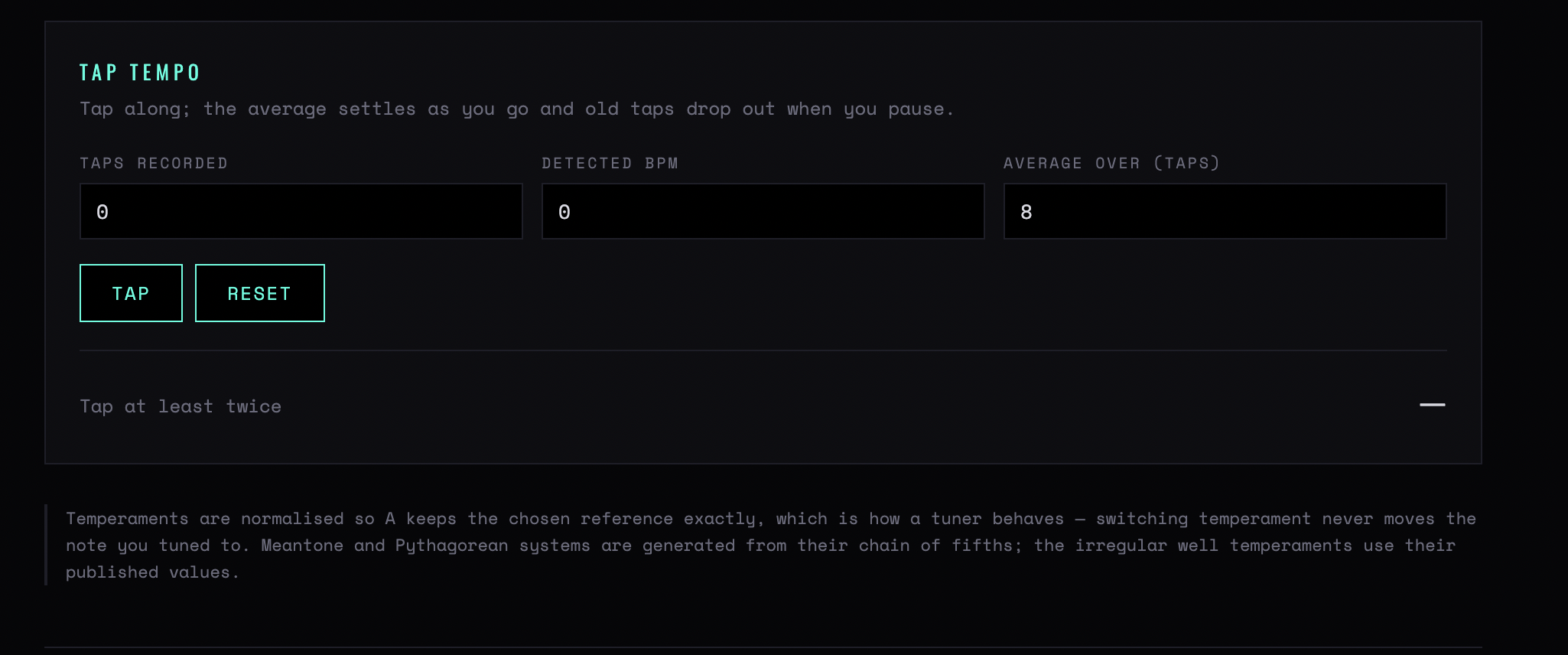
Figure 5 — Tap tempo, with the note that the average settles as you go and old taps drop out when you pause
Chapter five
Tap tempo
Tap
Tap at least twice; four or more taps is a usable figure. The detected BPM appears with the number of taps in the average, so you can see how much to trust it.
Average over
How many recent taps count. A short average follows a drifting performance; a long one gives a stable figure for a metronomic one.
Rounded / Beat / Bar
The tempo rounded to the nearest whole BPM, and the corresponding beat and bar lengths — the numbers you actually type into a session.
Half time / Double time
Both, always shown, because the commonest tap-tempo error is tapping at half or twice the tempo the music is actually in.
CB Sounddesign · Audio CalculatorOperator's manual · v1.0